 . Beyond that, though, there are no stuff packs, game packs, or game kits for The Sims 1.
Narration
No AI was used in the creation of this track, just my own skills as an announcer and audio producer.
All songs from THE SIMS, by Jerry Martin, Marc Russo, and Kent Jolly
Note: Narration was recorded on 11 July 2025 and may not reflect recent edits to this page.
There is no intro. You want an intro? Read this.
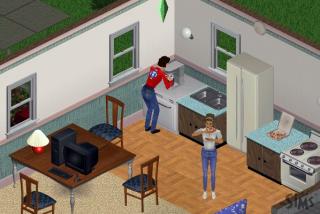
The most important thing I can tell you is, expect a completely new game. Don't expect The Sims 4; these games aren't related in any way except name and a few rudimentary game mechanics.
The first thing you'll see is the Neighbourhood view, which is not all that different from TS4. You select a lot, develop it, bulldoze it, move sims onto it, and re-zone it. Not all in that order, of course. Unlike TS4, you bulldoze and rezone lots from the Neighbourhood, rather than from the lot. Most lots are residential, some are community. I'll get into the basics of the Gothic Quarter and Old Town later.
The next thing is Create-a-Sim. This is where you'll encounter your first major discontinuity between TS1 and TS4: sims are locked into 2 genders, 2 age groups, 3 skintones, and, in general, 3 body shapes. The best way I can describe it is: in The Sims 4, you make a person; in The Sims 1, you dress up a doll. Everything you see on this screen can be modded, provided the correct tools (viz. SimShow and some kind of image editor), which I'll get into later.
So many things to get to later... SO many... Anyway, don't worry that you can't make an exact replica of yourself—there are enough presets that you can get near enough to what you want right now.
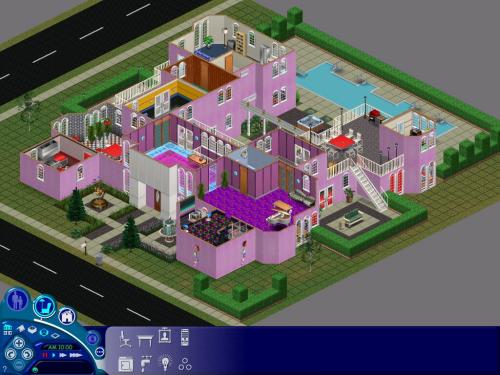
The next thing is Build Mode. I hope you get as inspired by TS1's Build mode as I did back in the day! The thing that got me hooked on The Sims before I ever held the game in my hands (it came on a CD-ROM back then, I might add) was the preview screen at the Wal-Mart Non-Supercenter. You would scan the game's barcode and a 30-second preview would play on the TV monitor. I saw someone building a backyard pool area with a picket fence and shrubs while improvisational piano music played in the background. It played with this 9-year-old's imagination like nothing else ever had! Or ever would.
Sorry, digressed a bit there. Unlike TS4, you're limited to 2 floors and 3 pitches of hipped roof. No—4, actually. I forgot about Hot Date's flat roof. You won't find this limiting, though. You can do great things with 2 stories and a hipped roof. I know, because we did.
The only thing that I'm sorry you won't have this time is 750 Sims CC websites. All the websites that still exist jettisoned TS1 when TS2 came out and their servers couldn't accommodate the data. Most of the really good ones shut down entirely, within TS1's lifetime I might add. The big thing we lost was The Sims Exchange... so much creativity, just gone as though it never existed. Especially from kids and teenagers—a lot of us, our introduction to graphic novels was The Sims Exchange. It goes without saying, machinima would have been a lot different without it, too. But, rather than dwell on what's been lost, let's make new stuff!
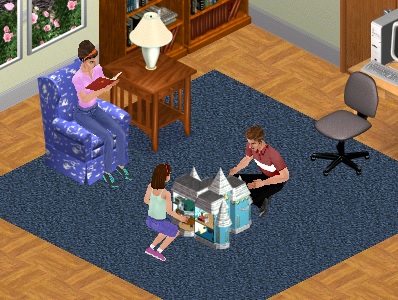
I wrote once that, in The Sims 1, the player's imagination moves a story along that doesn't exist. 2, 3, and 4 try to make their own inferences and force story progression along where you may not necessarily need or want it to. While this may prove difficult for players who like the constant stream of opportunities that TS4 gives you, it also allows you to open your imagination and create scenarios that no game developer can ever plan for, no matter how many decades they spend in Development Hell trying to make work. I often feel like The Sims 4 is judging me for playing it wrong; well, The Sims 1 has no preconceived ideas of how you should want to play it. You try it out and decide how you want to proceed. If you feel you just want a couple of girls to play house, you can do it— if you decide one of those girls should be a dominatrix and the other should be a decora princess, you can do it (provided the correct furnishing and body mods, of course)— if you decide your single mother's new boyfriend should actually be her baby-daddy and you want some Maury-style paternity drama, you can do it. There is absolutely no right or wrong way to play The Sims 1. Heck, if you want to, you can even use The Sims HomeCrafter (not included) to make walls and floors out of the DOOM sidedef and flat textures and live in the Phobos base!
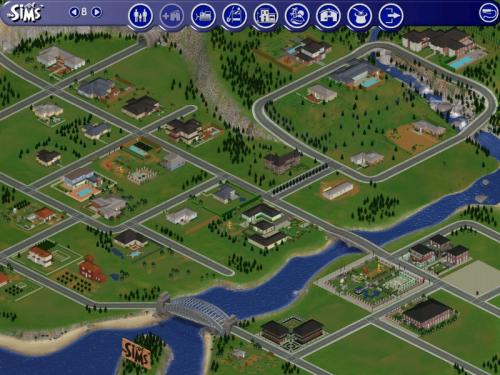
Instead of savefiles, TS1 only has 1 savefile with 8 different neighbourhoods. Technically-speaking, each household is its own savefile and the Neighbourhood view is just a nice-looking "Load Game" menu. Each of the 8 neighbourhoods exists independently of each other, allowing you to have 8 different concurrent stories. Each neighbourhood has a residential area that was expanded with Old Town and the Gothic Quarter in The Sims Unleashed, Downtown, Vacation Island for holidays, Studio Town for becoming a celebrity, and Magic Town for all your spell-casting needs. Each of these areas was introduced in an expansion pack, which you can hover your cursor over to see (sorry, mobile users).
If you go into the game's main data folder (which was in C:/Program Files on the disc-based versions), you can see all of your neighbourhoods have their own UserData folder. Here's a mod you can do to your game without even cracking open any tools...
Create a new folder in this directory called "UserData9", then go into UserData8 and select everything in it, copy it, then paste it into UserData9. Hey! You just created a completely new neighbourhood! Now, instead of 8, you have 9! Do you suppose you can go higher than that? I'll let you find out.
Yes, there were 7 expansion packs, but they all come preloaded in The Sims Legacy. There was some scattered official DLC for the game, most of which is also included. For licensing reasons, all the branded content (McDonalds, Intel, and Pepsi) is not included so you'll have to get it from the Internet Archive. Beyond that, though, there are no stuff packs, game packs, or game kits for The Sims 1.
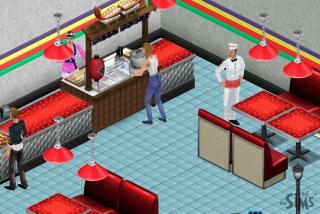
The Sims Complete Collection comes with the skin-creation utility, The Sims Creator. Legacy Edition, however, does not. Anyway, this is a program that came with The Sims Deluxe back in 2002 that was a positive godsend for kids like me who sorely wanted to make their own skins but couldn't afford Photoshop. This is an introduction to the vibrant Sims modding scene that's easy for anyone to grasp, even though, after a while, you'll probably want to branch out into programs that give you greater control over details. Concerning modding with The Sims Creator, you'll encounter some specialist terminology. None of it is particularly hard to understand, and you'd probably have picked it up even without my mentioning it here.
• Mesh - 3D shapefile. As it sounds, a body mesh is the shapefile for the sim's body, a head mesh is for the head.
• Head - the raster image that goes onto a head mesh, forming a sim's haircolour, skincolour, and facial features.
• Skin - the raster image that goes onto a body mesh, forming a sim's clothing and skincolour.
These terms will come up continuously when you deal with custom content. Just like TS4, everything about this game can be modified, but it takes a few more specialist tools to do it. Entire websites were devoted to Sims modding tutorials back in Y2K, so it's a little more than I'm willing to go into right now. But, The Sims Creator lets you make new skins using, basically, doll clothes. Prefab clothes to overlay onto meshes. You can't change the shape of meshes with Creator, just the skin that you put on it. Apart from doll clothes, you can also paint right onto the mesh in either 2D or 3D space with a paintbrush tool straight out of Photoshop. While there aren't any prefabs for heads, you can paint on heads just as easily as skins.
Honestly, I'm not even sure why I brought it up. You can't make Creator work with Legacy Edition, so it may as well not even be mentioned.
I also mentioned The Sims HomeCrafter before. Fortunately, you don't need to worry about this one anymore, as SneakySims has a pair of workalikes that run entirely in your internet browser: one for walls, another for floors.
You can also make new furnishings, but this process is quite a bit more involved. It requires a tool called The Sims Transmogrifier and any image editor except GIMP (I explained why here).
Unlike The Sims 2-4, The Sims 1 sorts all the mods into folders. Skins and heads go in one folder, objects go in another, roof patterns go in another, and so on. I'm not sure where the GameData folder in Legacy Edition is, but subfolders in this folder is where all your mods go.
• Skins - heads, skins, clothing accessories, and meshes
• UserObjects - furnishings and all Build Mode objects except wall, floor, and roof textures
• Walls - wall patterns
• Floors - flooring patterns
Houses are a little more complicated, but not by much. Rather than the GameData directory, you put houses and all types of community lots into the Houses subfolder of a UserData folder. Just remember that UserData folders' numbers correspond to the Neighbourhood number in the game. If you want the house to show up in Neighbourhood 4, you would put it into UserData4 for instance. This also applies to Downtown lots, Vacation Island destinations, Studio Town lots, and Magic Town lots. Beware of one thing: if a house already exists on the lot you overwrite with the new lot, that house will be permanently deleted. If, for example, you want to put a new house at 9 Sim Lane (House09.iff) but you also want to preserve the house that is already there, move the existing House09.iff file out of the UserData#/Houses folder to a neutral location, such as My Documents, before installing the new House09.iff. Any sims currently living on the lot will still be there with their household funds intact (as this information is saved in different files from the house IFF).
This might seem like an obvious observation, but custom content used in the construction of a lot will not appear in the game if it is not installed. Common courtesy is for builders to include any CC they used in the ZIP file along with the lot, but sometimes this doesn't happen. If a section of wall or floor is blank (i.e. grey wallboard or grass), that wall or floor has not been installed. I only mention this because of The Sims Exchange. If you're a millennial or zillennial whose only exposure to Sims 1 CC was the official story exchange, then you might not know that the website packaged the walls, floors, sims, heads, skins, and meshes in with the house, which is why you suddenly had 5 new walls and 3 new skins when you downloaded a house from the Exchange.
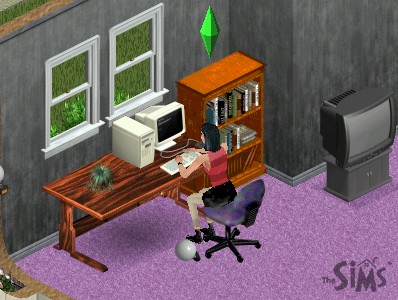
That's the typical EA Games move, isn't it? Release some ancient software, make it non-refundable, and then don't even bother to make sure it'll work with modern computers. Fortunately, as with all computer games, The Sims Legacy Edition has a scene release that can be found with relatively little bother on that bit of the internet.
If you're on the fence about the morality of the free option, remember how EA has led the pack in layoffs over the past 4 years, downsizing nearly half of its workforce so they could bring in their own "free option", being generative AI. Also, consider how EA was quick to take credit for The Sims's success after constantly holding the Sword of Damocles over Will Wright's head since they acquired Maxis in 1993, accusing him of wasting his time, threatening to have him replaced or sued, reminding him and everyone at Maxis how they were only a means unto an end. Also, consider how EA almost took Maxis to court over benign homosexuality in The Sims; and how they rushed the schedule for SimCity 2013 so they could have a reason to bring the axe down on Maxis when the inevitable failure happened. Maybe EA doesn't deserve your money in the first place? But, I'm just spitballing here.