As I wrote on my blog recently, it's been 2 years since I jailbroke my Nintendo 3DS. This turned out to be one of the best things I ever did. Since I know that there are still thousands of Nintendo 3DS and 2DS consoles in use right now, I know a lot of people can still benefit from it too. Let's have a look at what you need to cut your Nintendo 3DS system free of her corporate shackles and play whatever 3DS, DS, Game Boy Advance, and 8- or 16-bit home console game right now. Following the instructions on the Hacks Wiki will lower your risk of a brick to as near to 0% as you can get in a universe with no absolutes.
You will encounter several terms frequently during your adventures in liberated gaming. While this is not a complete list of all specialist terminology, it covers the most-commonly used ones.
Emulator. A software application that is capable of running software intended for a different platform. The most common examples of emulators are programs which will play videogame ROMs on other hardware. Snes9X, PicoDrive, and Red Viper are examples of emulators for Nintendo 3DS.
File extension. Defines the type of file and how it runs. 4 filetypes recur often in 3DS hacking: *.CIA, *.3DS, *.3DSX, and *.FIRM. CIA files are apps that have an icon on the homescreen and can be launched like regular 3DS software. 3DS files are encrypted cartridge dumps that cannot be directly installed onto jailbroken systems; GodMode9 must be used to convert 3DS files to CIA before they can be used. 3DSX files are run through the Homebrew Launcher. FIRM files are firmware payloads that must be run by Luma before the 3DS operating system ever boots.
Firmware. The software layer upon which embedded computer systems run operating systems. Relative to the Nintendo 3DS, the default firmware uses a series of lockouts to prevent software accessing forbidden areas of the hardware, potentially to execute arbitrary code that, in amongst other things, may lift those lockouts and allow unrestricted access to the hardware. A custom firmware (CFW) is installed after a hack is executed; the methodology of which is different for every version of the hardware (Nintendo 3DS, 2DS, New 3DS, etc.) and operating system. The CFW allows the user to execute arbitrary code, beyond the lockouts put in place by Nintendo.
Folder. A subdirectory of a filesystem into which files are sorted. In 3DS hacking, the Luma CFW expects to find particular files inside particular folders. If these files are moved or deleted, the CFW may behave erratically or not function at all until the files are restored to their folders. If a particular piece of installed software does not run or runs improperly (eg. unable to locate game ROMs, unable to save or access savefiles), check that the files associated with that software are in the correct folder. Unless otherwise instructed, do not create new folders anywhere except the root of the SD card.
Hack. Also called a crack, root, or jailbreak; this is the execution of a vulnerability in a computer operating system or firmware, designed to allow arbitrary code to run. This is a necessary first step in installing CFW onto your 3DS. In my case, the hack was delivered through a specially-written M4A file loaded into the sound player.
Hypervisor. This term's use in reference to videogame homebrew is something of a misnomer; "virtual machine" would be more accurate. In any case, hypervisors don't emulate anything, so much as make the hardware compatible with the software it runs. The prerequisite for this, therefore, is the hardware's ability to be made compatible; for instance, a Nintendo 64 would never be able to run a GameCube hypervisor, but a Wii could. Nintendont on jailbroken Wii is an example of a hypervisor. TWiLight Menu on 3DS is also a hypervisor.
NAND. Pronounced either "nand" or "en-and" (the latter being somewhat more accurate), this refers to the Nintendo 3DS's flash memory structure. It tends to appear in reference to backing up or restoring NAND states, a crucial operation in the case of a fatal system error. GodMode9 is capable of creating and restoring NAND backups.
Root directory. An area of a filesystem where crucial files and folders are found. The root is located at the top-level of the filesystem. In 3DS hacking, this most often refers to the top level of an SD card's filesystem (referred to as the root of the SD card). To access the root of the SD card, simply open the SD card's contents on a computer and do not enter any folders.
ROM. Short for "read-only memory", ROM is the generic term for a digital copy of a game cartridge (so named because the game files are stored in ROM inside the cartridge). The ROM file contains the entire game, which can then be run by an emulator for that console. For instance, Action Man - Robot Atak (E) (M5).gba defines the ROM file of the 2002 Magic Pockets game, Action Man: Robot Atak for Game Boy Advance. This file can be run by a GBA emulator, allowing the user to play the game without needing a physical Game Boy Advance console or the cartridge on which the game was originally sold. "Wait, isn't this illegal?" Partially, not entirely.
This jailbreak method will work with all systems in the Nintendo 3DS line, namely...
Is that all of them? I think so. Unless Nintendo shadow-released something like New Nintendo 3DS XL Mini 64 & Knuckles or something. Basically, anything that says "3DS" or "2DS" on it and was made by Nintendo can be jailbroken using this method.
You only need 2 things to make this work: some system in the Nintendo 3DS/2DS line and a blank SD card. Well, also, either a computer or mobile device with an internet browser with this website loaded into it...
SD card requirements.
While the 3DS line is technically compatible with up to 2 TB of SD storage capacity; in practise, anything more than 128 GB seems to cause the system to behave erratically for reasons that are not well-understood. To be fair, this problem also exists on stock firmware, it's just harder to detect because you can't install new games ephemerally without homebrew anymore.
By modding your console, you subject it to the remote (but non-zero) possibility of the console being bricked (rendered non-functional). Incorrect file placement will NOT brick your console, but purposely skipping instructions might.
— —3DS Hacks Guide
The risk is minimal. Basically, the only ways you can bork your system with this method are...
I know it's in our collective nature to ignore instruction and proceed as we see fit, but that isn't going to work here. As long as you follow the instructions to the letter, nothing will go wrong and you should be playing classic games on your 3DS within an hour.
Creating backups This absolutely MUST be your first stop after jailbreak is complete, because we're going to be getting into a lot of fun arbitrary code, any of which runs the risk of hopelessly locking up your system. Granted, it's not a very likely risk, but still it's better to be safe than sorry. There are 2 backups to do here: we need to create a backup of system memory (or NAND backup), and we need to back up the contents of the SD card.
"NAND" sounds very technical, but it's just the name of the 3DS's memory structure, and is a quick way of saying contents of the system NAND flash memory. GodMode9 is responsible for creating and restoring NAND backups, for which the Hacks Wiki has concise guides.
There are not many occasions for restoring a NAND backup, provided you only install new software from Universal-DB and hShop. After performing the NAND backup operation, copy the entire contents of your SD card to a safe location on your computer (ie. not likely to be mistaken for something else and deleted). While this may help with error diagnostic, it's chiefly a preventative measure in case something happens to the SD card; like, it gets lost, loses integrity, gets damaged, or otherwise needs replacement.
hShop. The first bit of homebrew software you should consider downloading is the hShop client software. Since it's technically a pirate database, my host's rules forbid my linking to it, so you'll need to search for it on a non-Google search engine to find it.
Once you're on their site, under "Are you looking for the 3DS app?", click "Download 3hs". Next, load FBI on your 3DS and scroll down to "Remote Install", then select "Scan QR Code" and point your 3DS's rear cameras (not the selfie camera) at the screen where hShop's QR code is displayed. The screen will freeze on the QR code for a moment before showing the download link and giving the option to install the file found there.
Essentially, hShop is the same as the old eShop, except everything is free to download and it's text-only. I know "text-only" sounds a bit boring, but videogaming olds will know how much time and bandwidth the eShop wasted loading irrelevant eye-candy. The hShop doesn't do that, plus you can enqueue files and then download them all one after the other. The only drawback is the Nintendo 3DS line's download speed limit; games only pull in at hundreds of kilobytes per second, so set aside several hours to download all the 3DS games you want.
Pretendo Network. This is the open-source replacement for the Nintendo Network, which Nintendo so discourteously shut off back in 2024. That was mean of them. Pretendo Network isn't a 1:1 replacement for Nintendo Network, but it's working on it. At the present time, a few games are either partially supported or not supported at all; but they're working on it. Fellow webmistress, JaidenLE, wrote a very concise guide on how to install Nimbus and get started with Pretendo Network, which you can read on her website.
Setting up a Pretendo Network ID (PNID) will allow you to continue using Nintendo Network services in most games despite Nintendo being that company, such as online multiplayer. If you see a brunette with glasses named Tina from Nebraska, that's me!
Since my girlfriend had a problem with this when she set up Pretendo for the first time, let's cover an issue that she had. If you should encounter the error code, "022-5432" when entering Nintendo Network ID settings on your 3DS's system settings menu, try this...
"Oh, but I have a Nintendo Network ID already, so I don't need Pretendo." WRONG. Nintendo shut off the Nintendo Network service in 2024 and there's a certain 0% chance of it ever being started up again. Pretendo Network is not Nintendo Network; therefore, it cannot make use of your existing credentials to log you into its own servers. In order to use the Pretendo service, you must set up a Pretendo Network ID. Now, let's say I'm wrong about this and Nintendo does decide to resume Nintendo Network services at some point in the future. All you have to do is open Nimbus and switch from "Pretendo" to "Nintendo" to resume using your Nintendo Network ID like nothing ever happened. Then, if you decide you want to use Pretendo again, re-open Nimbus and switch back. Simple.
NetPass. Until the number of people who hack their 3DSes goes up to serviceable levels for random streetpassing at school or in traffic, NetPass creates a WiFi based Streetpass relay that allows you to streetpass with people over the internet. The only setup you might need to do is enabling firmware patching in Luma, but if you've installed and used Wumiibo at this point, then you've already done that bit and you can start using NetPass immediately.
You're going to encounter people from all over the world through NetPass. Literally. So, if someone comes through Streetpass Mii Plaza with a name or a catchphrase that breaks the host's rules (like the random-ass "Sieg Heil" I got yesterday), NetPass makes it simple to report users, which is done through the homescreen app. Go to Settings > Report a user and find the offending username in the list. Press A on a particular username to see details about it. Like, if you had 2 users in a particular session named "BadGraph1x" and one of them greeted you with "praise trump!", while the other just said "3DS intensifies!", you would need to know which user to block; all the data that gets transmitted to the NetPass server will display, allowing you to verify that you're reporting the correct "BadGraph1x". Just opening the details about them won't report them; pressing A again with their details open will open a text field where you must describe what about this user is breaking the rules. Unlike Tumblr, where you need to write a fricken 5-paragraph essay in order to report hatespeech, just define what is offensive about this user in particular.
It should be noted that NetPass blocks Pretendo Network's in-built Streetpass relay functionality. First, what does this mean? A Streetpass relay (SPR) is an access point that allows you to Streetpass with people who do not actually pass within NFC range of your 3DS. For instance, I have a friend registered who lives in Australia, while I am in the United States. We aren't very likely to meet in real life, but we can still Streetpass with each other by way of Pretendo Network's relay function. 2 SPR's cannot be active on a particular console at a time, therefore when the NetPass SPR is installed and patched, Pretendo Network's SPR will be suppressed.
You can remove NetPass's SPR by opening the NetPass app, then going to Settings > Miscellaneous > Update Patches > Remove Patches. It may take up to 24 hours for Pretendo Streetpasses to start showing up again (arbitrary decision on Nintendo's part, only allowing x Streetpasses daily). Please note, this is only going to pose a problem if you have many registered friends who are not likely to pass within range of your 3DS system in realspace. NetPass is otherwise a quick and easy way to Streetpass with many people all over the world, and fill up your Happy Home Showcase or your Imports store without having to travel and hope you come into range of someone with a jailbroken 3DS.
Overriding parental lockouts. If you're using the North American versions of game ROMs, you should consider overriding parental restrictions, especially if you're an adult. Even if you don't set up the 3DS's native lockout mode, certain games will still demand that you verify your birthdate with Nintendo to continue using it. Of course that verification service got shut down, so you can't possibly do it. 3DS-ParentalUnlock is a plain-jane 3DSX application that will, essentially, override parental lockouts. I'm not sure if it works for systems that already have lockouts in place however. Amongst other things, overriding parental lockouts will allow you to share notes with registered friends in Swapnote.
Wumiibo. For whatever reason, Nintendo released an NFC Reader/Writer accessory for the Nintendo 3DS line one day in 2015 and expected everyone to go out and buy one and about 100 amiibo cards immediately. Well, Wumiibo does not expect you to own a complete roster of Animal Crossing amiibo and cards to invite villagers to your RV park.
Simply download Wumiibo from the Universal-Updater UniStore, then open the app and have it download amiibo. Once it's done, that's it! To use it in a game, get to a point where the game asks you to dock an amiibo on the NFC reader, then press L+Down+Start to open the Wumiibo menu and select a figure. Once you're finished, press those buttons again and select "Force stop emulation" to take the virtual amiibo off the dock.
Installing Nintendo DS games. Another jailbreaking bonus is the ability to install entire Nintendo DS titles as DSiWare with the ndsForwarder utility (it may also go by "ntr-forwarder"). If you have DS ROMs, put them into a folder on the root of your jailbreak's SD card. You can either run them in the TWiLight Menu hypervisor or install them to the 3DS homescreen with ndsForwarder.
Open the Homebrew Launcher and open ndsForwarder, then point it to the folder with the DS ROMs in it and select the one (or ones) you wish to install to the homescreen. It really is that simple. However, it should be noted that the 3DS memory has a rather small amount of space allocated for DSiWare, which is going to get eaten up pretty quick considering how big some of those DS games can get. I would recommend only adding games that you want to keep around close at hand at all times while opening up games you just want to try out with TWiLight Menu.
Emulators. See main article: Virtual Console vs. Emulation.
Jailbreaking your 3DS will unlock the ability to play 30 years' worth of games (if you have the ROMs, that is). As you can probably imagine, there's a Libretro port for Nintendo 3DS, but you can also piecemeal them out, like I do.
As for where to find the ROMs? I don't know, maybe you found something when you went to get hShop? Whatever.
Open AGB Firm Something you might not be prepared for with Open AGB Firm is that it is not accessible from within the 3DS homescreen. It's actually its own firmware. In other words, you need to power your 3DS completely off, then boot into Open AGB Firm instead of the Nintendo 3DS homescreen. This is much easier than it sounds.
Since it's a firmware payload, you'll be better off installing it manually instead of using Universal-DB. Using your computer, download the 7-Zip archive from the project's Github, then power off your 3DS and insert the SD card into your computer. Extract the file called, open_agb_firm.firm into /luma/payloads/. Then, copy the folder 3ds to the root of your SD card, merging and overwriting where prompted to do so.
As for ROMs, a folder called roms was probably created automatically during the jailbreak procedure, with a subfolder called gba where you can sort Game Boy Advance ROM files to keep your SD card relatively well-organised. Otherwise, create a folder in the root of the SD card and place your ROMs in it.
Retroarch. In case you prefer to use Retroarch for all your emulation needs, be advised that the version available from the UniStore does not contain any emulation cores, while the *.CIA available through the project's own website contains them all. Simply download the repository, extract the "RetroArch" folder to the root of your jailbreak SD card, and the *.CIA file to whatever folder you typically put those files into. Then, use FBI to install the Retroarch container app and as many cores as you need installed (navigate to RetroArch > Cores in FBI). There's a lot of cores here, each with odd names. If you need to know which ones are which, there's a list of them on the website.
Please note that Retroarch will not magically make your Nintendo 3DS capable of running games for consoles that are beyond its capabilities. To this end, none of the 5th- or 6th-generation home console emulation cores are included with the 3DS release, nor can it accept these cores from other sources. You'll still need either a jailbroken Wii with Nintendont or a PC running Dolphin to play GameCube games.
Virtual Console injections. Even though I recommended emulators for these, the Nintendo 3DS is capable of playing NES, Game Gear, Game Boy Color, and Game Boy Advance games natively. If you're using a New Nintendo 3DS, you can also add Super NES to that list. You can create your own Virtual Console titles using New Super Ultimate Injector on a Windows PC. Sorry, you've got to use Windows for this one. Fortunately, it will run even on Windows 7, so don't rush away and buy a new Windows 11 laptop just for this. It might run on Linux with Wine, but don't get your hopes up too high.
The benefit in creating a VC inject instead of needing an emulator is chiefly related to speed. VC games will run at 60 FPS under most conditions, regardless of settings. On Old Nintendo 3DS, both the GBA emulators have filesize caps that are actually too low to run some later games (anything 30+ MB in filesize). Finally, the game installs to the homescreen, allowing you to sort it into a folder if you want to (eg. all Zelda games, all Mario games, all Rayman games).
Custom theming. You don't need to put up with that stale Nintendo-clean default homescreen theme if you don't want to. All kinds of fun alternative themes can be found through Anemone 3DS Theme Manager. Anemone was most likely installed in the software package alongside Luma; it makes a Super Mario Galaxy Roland Fantom-X sound when you put your cursor on it. Otherwise, use the Universal-Updater UniStore to install it manually.
Savefile management. Checkpoint (the flag that doesn't seem to have a description or make a sound when selected) is a savefile manager that allows you to back up savefiles in all your installed games, restore previous backups, and apply cheats. This makes it less volatile to experiment with savefile editors, such as LeafEdit.
Copying game cards. Another fun jailbreaking bonus is the ability to copy 3DS and DS game cards that are loaded into your system's cartridge slot. It will allow you to install games that you have physical copies of to the homescreen so you don't need to swap out cards quite so much, plus it's your right. You own the game, you are entitled to a backup copy of it. Nintendo has tried to convince people for ages that this is illegal, but, in the US anyway, we have Vault Corp. v. Quaid Software (1988) on our side. So, if you're a hardliner against piracy or you don't trust online databases, GodMode9 will let you copy cartridges yourself.
GodMode9 is able to copy the following items...
3 things can be done with 3DS and New 3DS game carts: you can dump the game to a 3DS file (encrypted) or CIA file (decrypted), or install the game directly to the homescreen. The only reason to dump to *.3DS is if you're trying to get the game off the hardware and onto a computer-based emulator. Dumping to *.CIA will allow you to copy the file to a computer for archiving or giving to another person. Installing the game directly will allow you to preserve the contents of the game cart in ephemeral form so that the physical media is no longer required.
Classic DS games can only be dumped to *.NDS and cannot be directly installed as DSiWare; you will need NDS Forwarder to actually install it, or TWiLight Menu to run it in the DSi hypervisor.
Detailed instructions can be found at the Hacks Wiki.
Virtual Console vs. Emulation
15 Essential Games for Nintendo 3DS
15 Essential Games for Nintendo DS Classic
Jailbreaking my Nintendo 3DS ranks up there as one of the 10 best things I've ever done, mostly because I can carry around much of the history of gaming in my purse and play anything from anywhere, completely unrestrained by corporate feudal control. Nintendo no longer has a say over what I do with my hardware, plus I can play games with my girlfriend (love u riza 💕).
I have no doubt that you'll agree: jailbreaking rocks! Once you've had a taste of liberated gaming, you might start thinking about what else you can do to minimise corporate control in your own life. Breaking up with Google? Dephoning? Getting rid of Spotify? The possibilities are endless.
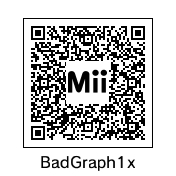
As a special bonus, scan this with your Mii Maker after you've hacked your 3DS so we can play together!