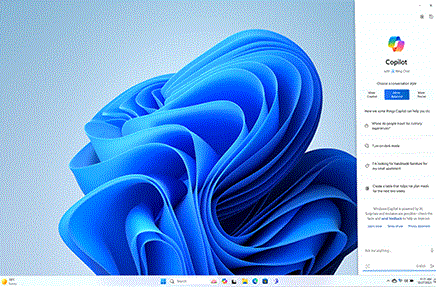
Photo: Microsoft Corporation
Photo: Microsoft Corporation
I feel it's necessary to point out that, while I am a firm believer in computer literacy, I will not recommend Windows 11, not now, not ever.
Windows 11 exists to funnel users into the Sofware as a Service pipeline, eliminating personal privacy and using all data for monetisation. Furthermore, Software as a Service (or SaaS) is subject to the whims of the corporate feudal state—Valve Steam is a good example of a giant corporation using SaaS to implement arbitrary rules about who is allowed to use it. Also, Microsoft in particular is incredibly invested in generative AI and chatbot technology, to the point they're allowing it to make managerial decisions. If, for instance, some AI process on Microsoft's side decides that you're using a pirate version of Office 365, your entire Microsoft account gets shut down without so much as a peep and zero recourse you can take to reinstate yourself. Windows 10 is similar in that it treats its entire operating system as SaaS (in this case, Windows as a Service, or WaaS). In light of Google recently using AI content moderation systems on their desktop software to decide if you're using it to write sexually-explicit content, I can only assume Microsoft is headed in a similar direction. When KOSA is passed or Project 2025 is implemented in the United States, this makes Microsoft too great a security risk for me to continue recommending any of their products. While this is a discussion for another time, I will only say that the framework already exists for governments to spy on individuals through their OS's data-collection algorithms; and the puritanical force that will overcome the US federal government in 2025 will be able to use Windows 11 and Google AI systems to finally kneecap personal liberties once and for all.
As I say, this isn't a political discussion. But, if you've clicked around my website at all, you'll know that I consider my privacy paramount, and this guide is intended to allow you to salvage your privacy from corporate feudal interests. There is no such thing as privacy on Windows 10 or 11 anymore, therefore I can only recommend last-gen Windows OSes (such as XP and 7) and Linux distributions at this stage.
What to do if your new computer runs Windows 11.
If you already have Windows 11, it's a fairly painless process to replace it with Linux Mint. You don't need to worry about disk cloning or wiping the hard drive or partitioning, or really anything at all, since Mint can do it for you in a click or two. Make a Linux Mint boot disk and then use it to boot into a live session. Right there on the desktop is an option to Install Linux Mint, where all you need to do is specify that you want to replace Windows with Mint, and then set it and forget it. Of course, you'll want to do a once- or twice-over for files you want to keep from Drive C on Windows because this process will completely delete Windows 11 from your computer for all time. No take-backs. As I understand, you can even do this with certain kinds of Chromebook.