I'll probably add this to Part 0 now that I've remembered it, but running this live session of Linux Mint reminded me.
Oh, yeah—also, this entire page was composed on Firefox 128 on Mint 22. I'll get to Linux on a Stick in a second, but first I want to mention something important about saving your personal files.
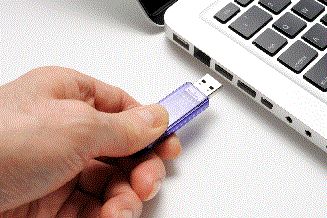
If you're new to computers, you've probably made a couple of Notepad documents, maybe a WordPad file, maybe a PNG or JPG; and you've saved it someplace on your computer so you can get to it again later. All these files were saved onto what Windows calls Drive C; your computer's main hard disk. Why is it called "C"? It's a holdover from the IBM PC's of the '80s, it's not real important right now. The point is that, sooner rather than later, you'll want to start saving your files onto removeable storage—flashdrives, SD cards, USB hard disks, that kind of thing. Storing your files on removeable media will allow you to take those files to various other computers; say you found a lobster meme and you want to surreptitiously replace your brother's desktop image with it. You're going to need a way to get that file onto his computer from your computer, and the easiest way to do that is with a flashdrive. Rather than saving the image to your local downloads folder (which is to say, the downloads folder on Drive C), you tell Firefox to save the file onto your flashdrive (Drive F, perhaps).
Under absolutely NO circumstances should you save files in "the Cloud". I don't think I made this bit adequately clear in my guide. "The Cloud" is just corporate feudal jargon for "someone else's computer". When you save a file—any kind of file—to the cloud, it gets scanned by various automated processes installed on the datacentre's computers, designed to monitor files for content, train AI processes, enforce laws, and generate marketing analytics. You may have heard about people getting their Google accounts locked because they were writing rule 34 fanfiction in Google Docs. Without getting too far into politics; right now, the United States government is poised to crack down on so-called "adult content" on the internet, and it intends to use the pre-existing framework that the corporate datacentres use to make money off what people thought were their own private files. By saving your files to your own removeable storage device, you will deprive the corporate feudal state the opportunity to pry into your files to monitor your compliance with the downfall of privacy and free speech.
Also, there's the malware. Right? For a few years there, ransomware attacks were fairly common (if relatively localised), and every "cybersecurity expert" hawking some kind of antivirus software subscription service will tell you that your important files are constantly at risk of being encrypted or corrupted by some international malefactor ("so subscribe to MoneySuck Antivirus today and keep your files safe; stop paying for it, and you'll pay for it"). Removeable storage media let you airgap your files so they can't be affected by ransomware, malware, spyware, adware, hereware, thereware, elseware, or anything else.
But, I started out talking about Linux on a Stick. When I got my new TV that could be used as a computer monitor back in 2017, I got an SD card so I could use my old Windows XP laptop as something like an old-style home computer from the '80s. I could exchange files between the TV and studio computers this way. Well, even though my WinXP laptop doesn't work anymore, the SD card still does, and I use it to store all of my writing, a lot of my music (both studio work and just music for listening to), and a lot of other files, and I found that it was still docked in my Windows 7 laptop from the last time I used it. Well, when I booted into Linux Mint, I found that I still had access to all of my files, despite having generated all of them with some version of Windows or another. Even though I can't access any of the files on Drive C in a live session, I still have all my important stuff because it wasn't saved to the ATA SSD in Drive C, it was saved to the SD card in Drive G!
Then, of course, there's the Linux stick, itself. I used Etcher to burn Linux Mint 22 Xfce to a Lexar S60 64 GB flashdrive. This exact method has been used by roving IT technicians to fix problems with Windows computers since the USB standard was established; but the linchpin to the whole operation is the flashdrive. Unfortunately, you can't save personal files onto the same flashdrive that you're using as a Linux boot disk, but your computer probably has several other USB ports, and even high-capacity flashdrives are fairly inexpensive.
TL;DR, don't save personal files to Drive C. Just use it to install software, and use a flashdrive or an SD card to save all your files onto.
--1 January 1970... er, I mean, 29 July 2024--