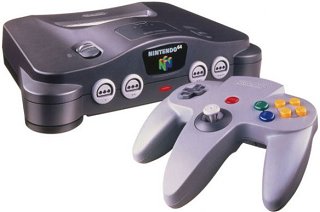
Photo: Nintendo of America
If you've read the Super NES page, you'll already have a basic understanding of what is needed for the Nintendo 64, since a lot of the same principles apply. However, there are a few things that are different; different enough to make the N64 distinct from its predecessor, so all we need to do is expand upon that somewhat.
The basic thing is: memory allocation for music samples was larger than the Super NES, but smaller than a commercial sampler. What does that mean? Take Super Mario 64 for instance; the SampleCell II factory strings were sampled for that project. Kondo had enough memory available that he could sample the strings by octave across as much of the keyboard as he felt he would need. This led to 3 ~1-second samples: G4, F4, and D5. This can be thought of as the "Emulator II approach"; insofar as that workstation had the ability to load several samples to represent a single instrument. In contrast, Grant Kirkhope and Graeme Norgate used the "Fairlight CMI approach" for GoldenEye 007: they used more instruments but fewer samples, with most instruments using only one sample.
While Super NES cartridges only had enough memory for a single sample of every instrument the composer wanted to use, the N64 had enough to accommodate 2-6. This isn't a rule, obviously; the price of RAM was in a freefall by the time the N64 hit its stride in 1999, and Dream Team developers could order absolutely insane amounts of memory. This is why Rareware's later games all had such high-quality music; being one of the Dream Team developers, they were given first-priority when it came to manufacture, and Grant was able to go balls-to-the-wall and do 32-track sequencing in Banjo-Tooie. It seems at times that he had enough RAM to fit the entire JV-1080 on the cartridge! That was pretty, um... rare... however; and you'll want to keep to a few basic rules when composing N64-style music.
First, the N64 was General MIDI compliant, so the same rules that a MIDI tracker follows also apply to the Nintendo 64. 128 notes of polyphony, 15-track multitimbrality, drums occur on Channel 10, all the most common non-note events are supported (pitch, pedal, modulation, reverb, chorus, and program change). This means, whatever you write in MIDI is automatically N64-legal; all you need now is samples.
Most of the same gear that composers used to make Super NES music was re-used to make N64 music. In the large part, all the old FM synthesisers were jettisoned, but sample-based modules and CDs were still used.
Common equipment.
Roland SC-55 / SC-88 / SC-88 Pro
Roland JV-1080
E-MU Systems Proteus/1, /2, and /3
DigiDesign SampleCell II factory library
Best Service Ultra Gigapack
The preferred equipment of the period was the CD sample library, so I've only listed the 2 most common. Both of them can be found as raw CDDA data on the Internet Archive, and I've been working on soundfont versions of the SampleCell II, which are also available on the Archive. The Roland SoundCanvas series was the unchallenged champion of N64 music, however; the SC-55 was already out and being used for Super NES music by the time N64 projects began, and the SC-88 and 88 Pro were released in 1997 and '98 respectively. They were inexpensive, overpowered, absolutely overflowing with broadcast-quality sounds, plentiful, and didn't strictly require a computer as a middleman, so most composers didn't look any further than this for their gear. Grant Kirkhope's preferred Roland module was the JV-1080. Both of these are duplicated by VST instruments available from Roland Cloud. Finally, the E-MU Proteus series wasn't just limited to videogames, seeing wide adoption by television and commercial composers, being especially common in children's media. The Proteus line is duplicated in EXB format for the Emulator X3 DAW.
Sampling.
The Super NES had only 8-bit sound, so when we were making Super NES music, we had to resample our sounds to 8000 Hz and write a Nyquist bitcrusher. The N64, on the other hand, had 12-bit sound, so we only need to resample to 16000 Hz. It's somewhat imprecise, but it'll do what we need it to. As far as Nyquist bitcrushing? We don't need to use that at all. Relative to stereo sound, though the N64 was technically able to deliver a stereo sample through the audio processor, stereo takes up twice as much space as mono and, as mentioned, memory was still at something of a premium. For no technical reason other than simulating project constraints, we'll still need to combine or split stereo samples into mono.
One-shot samples of very long-decay instruments, such as pianos, were more easily dealt with by sampling the attack and looping the decay, then editing the envelope in software. Certainly you can do this with Polyphone, but I'm going to suggest that, since Polyphone has such a problem communicating with certain soundfont players (lookin' at you here, RF-SoundFont), that a full sample with the acoustic decay intact would be better. As for how to process the sounds in Polyphone, the procedure was discussed on the Super NES page.
Existing N64 game soundfonts.
Unlike the Super NES, where we needed to make specialised samples rather than tailor our music to the single pitch that a different composer on a different project decided they needed back in 1993, N64 game soundfonts are somewhat more compatible with modern projects. Maybe you want Super Mario 64's steel drums, Ocarina of Time's string section, Pokémon Snap's trumpet, Super Smash Bros.' brass section; admittedly, it would be easier to simply copy the data from the existing soundfont into your own project's soundfont. Polyphone makes this incredibly simple—all you have to do is select the preset you want to copy, press CTRL+C, then go to the destination soundfont, click into presets, and press CTRL+V. Just like copying text from LibreOffice and pasting it into WordPad, that's all that you need to do to lift preset settings, loop points, envelope settings, and samples wholesale from one soundfont into another.