Introduction.
I've been saying for a year now that computer ownership is simple: all you have to do is get a refurbished Windows 10 desktop for instant access to home computing. But, I can't recommend that anymore. Microsoft is pushing its Copilot AI onto every Windows 10 machine, which does nothing but act as an entropy accellerator. It, along with the generationally-broken antimalware service, is designed to eat up your CPU resources, causing the processor to wear out faster and force you into buying a new computer, a decade before you need to. Windows 10 is broken. Windows 11 is a non-starter. All other versions of Windows have been phased out by virtually all software launchers and web browsers at this stage. So, what's the alternative? Linux, of course.
Please note, you will need to use a computer in order to follow any of these instructions.
Linux.
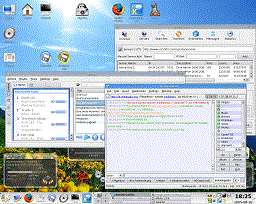
I know, you hear "Linux" and you think about a blank screen with code on it. Fortunately, Linux distributions have advanced quite a lot since the early '90s, and the more common ones can be outfitted with Windows- or Mac-like graphics that you interact with in the same way, if they don't come with a graphical user interface out of the box (some of them don't). Also, Linux is free and open-source, unlike the expensive and closed-source Windows, so you won't need to spend anything extra on the operating system.
But, you can't just go to a computer store and ask for a computer that runs Arch Linux, because there aren't any. You'll need to provide the operating system yourself. There's a trick you can use that will prevent your needing to wipe the hard drive on whatever computer you buy, and that's Rufus.
Click here for a wikiHow guide on how to use Rufus.
 Be sure your ad-blocker is on!
Rufus is a Linux-on-a-Stick utility that you can use to burn an operating system onto a USB flashdrive. It's compatible with a wide array of OSes, including all versions of Windows and most Linux distros. Once you have the operating system installed on the flashdrive, THAT'S the computer. All you need at that point is a computer that you can convince to boot from the USB ports first and you won't need to deal with the operating system installed on Drive C. Of course, this can be a bit limiting, in that you will always need to have one of the USB ports occupied in order to actually use the computer. Fortunately, on a totally new refurb, the hard disk will be completely clear of anything except the Windows OS that was installed on it, allowing you to partition the hard disk and install Linux. Or, you can have the disk wiped and not have to worry about partitioning.
Of course, now we arrive at which of the dozens of OSes to choose from. Your selection will depend upon how much time you want to spend setting up your computer.
The most popular distro, Arch Linux, is also the most time-consuming from a setup standpoint. You'll need to point it to your WiFi connection manually, install device drivers manually, install a software bootloader manually, and then install the desktop environment manually. I don't recommend it for people who are just starting out with computers.
By default, Fedora and Linux Mint have much of the same functionality as a corporate OS built in. That means, instant computer access without needing to install 500 different modules. Fedora Workstation is somewhat minimalist, but has the same overall bearing as macOS. Linux Mint, on the other hand, looks more like Windows 10. Both of these distros have desktop environments and you can install new software onto them fairly painlessly.
Software for Linux vs. Software for Windows.
While specialised software just for Linux was a major concern 15 years ago, software developers have begun acknowledging that users are starting to move away from Microsoft and are making their software compatible with Linux distros as well. Most major software has a Linux version, and whatever doesn't has an open-source alternative that has a Linux version. If you absolutely must run a particular Windows-only program on Linux, there's an emulator (of sorts), called Wine, that can probably run it for you.
Epilogue.
I won't sugarcoat it: Linux is a little more complicated than Windows. That's one of the places where Windows still has majority control over computing; it's easy to use. The fundamental philosophy of modern Linux is that Windows is too easy to use; to the point where you may as well be using a phone app. There's hardly any need for the user to interact directly with Windows, to the point where Microsoft is locking users out of decisions about how Windows works. Foisting Copilot onto Windows 10, running Microsoft Defender at full bore at all times, selling user data to Google for marketing purposes, leaving well-documented security vulnerabilities unpatched for years at a time, I could go on. The point is, Linux is not impossible to use. It's not even hard to use. It just means spending a little more time setting up your computer on first-boot.
If you've clicked around my website at all, you'll know I value my privacy above all else. You can't have privacy on Windows anymore. One can only speculate as to Microsoft's motives for ruining home computing as they have, but it's clear that corporate OSes can't be trusted.